Free, no sign-up

Printable mini golf scorecard generator

Your paper scorecard in two minutes: venue name, logo, holes, par and design. Download an A4 PDF that's ready to print.

Digital version

Your players will love the scorecard on their phone

The names in grey are examples: type your own venue's names.

Your venue

Course and players

  1. H1
  2. H2
  3. H3
  4. H4
  5. H5
  6. H6
  7. H7
  8. H8
  9. H9
  10. H10
  11. H11
  12. H12
  13. H13
  14. H14
  15. H15
  16. H16
  17. H17
  18. H18

Design

Simple designs

Themed designs

Printing

Always on an A4 sheet, with dotted cutting lines from 2 cards per page.

How it works

  1. 1.

    Add your venue

    Venue and course name, logo, number of holes and par. You can hide any of them.

  2. 2.

    Pick a design

    A simple design that's easy on ink, or a themed one: beach, pirates, dinosaurs, space…

  3. 3.

    Print

    An A4 PDF with 1, 2 or 4 cards per page and cutting lines. Print as many as you like.

Guide: making a great mini golf scorecard

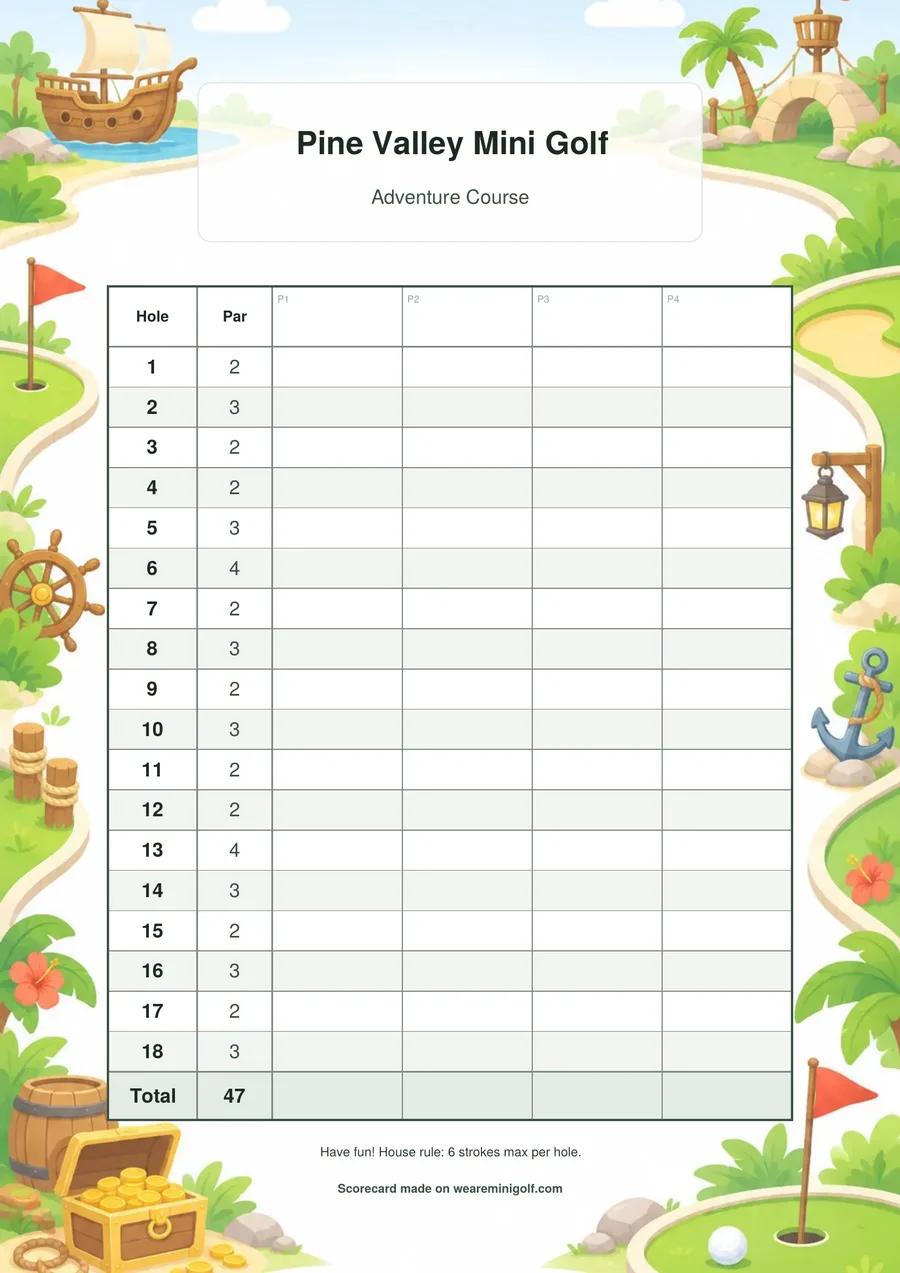
Example of a printable mini golf scorecard: pirate design, 18 holes, par and 4 players
Made with the generator: Pirates design, 18 holes, 4 per A4 page.

What should a mini golf scorecard include?

The basics: the venue name, hole numbers, one column per player and a total row. Add the par for each hole (the target number of strokes): players use it to see how they're doing, and it makes the game more fun.

A house rule at the bottom heads off arguments, for example "6 strokes max per hole". Your logo makes the card look professional, and customers sometimes keep it as a souvenir.

How do you keep score in mini golf?

Every stroke counts. For each hole, write down how many strokes it took to sink the ball. If a player hits the maximum set by the house rule, they write down that maximum and move on to the next hole.

At the end, add up the strokes: the lowest total wins. For a tie, you can count holes in one, or replay the last hole.

Read the full mini golf rules →

Which print layout and paper should I use?

4 cards per page (A6) suits most courses and saves paper. For 18 holes and players with big handwriting, go for 2 per page (A5).

Slightly thicker paper (120 to 160 gsm) lets players write without a clipboard. The simple designs use very little ink if you print in bulk.

Paper or digital scorecard?

A paper scorecard is simple and familiar. A digital scorecard needs no printing and no pencils: players scan a QR code, totals add up by themselves, and the game ends with an award ceremony on the phone.

Many venues keep both: paper cards at the front desk, and the QR code for players who'd rather use their phone.

Frequently asked questions

Is the generator really free?

Yes. No sign-up, no email, no watermark. The PDF is made right in your browser.

Which print layout should I choose?

4 cards per page suits most courses, with A6-size cards. For 18 holes and players with big handwriting, go for 2 per page (A5).

How many players and holes?

Up to 18 holes and 6 players per card. Par for each hole is optional.

Is there a phone version?

Yes: We Are Mini Golf is a free digital scorecard for mini golf venues. Players scan a QR code and play on their phone, even with no signal.

Go digital too

Free, ready in 5 minutes, no credit card.

Create my free course